How to delete your account

If you no longer want a Recollect account, you can permanently delete it under Settings.

⚠️ Deleting an account deletes all notes and data and is irreversible. Deleted accounts cannot be restored. If you want a backup of your notes before your delete your account, you should export them.

Steps to permanently delete your account

Click on the Gear icon and select Settings.
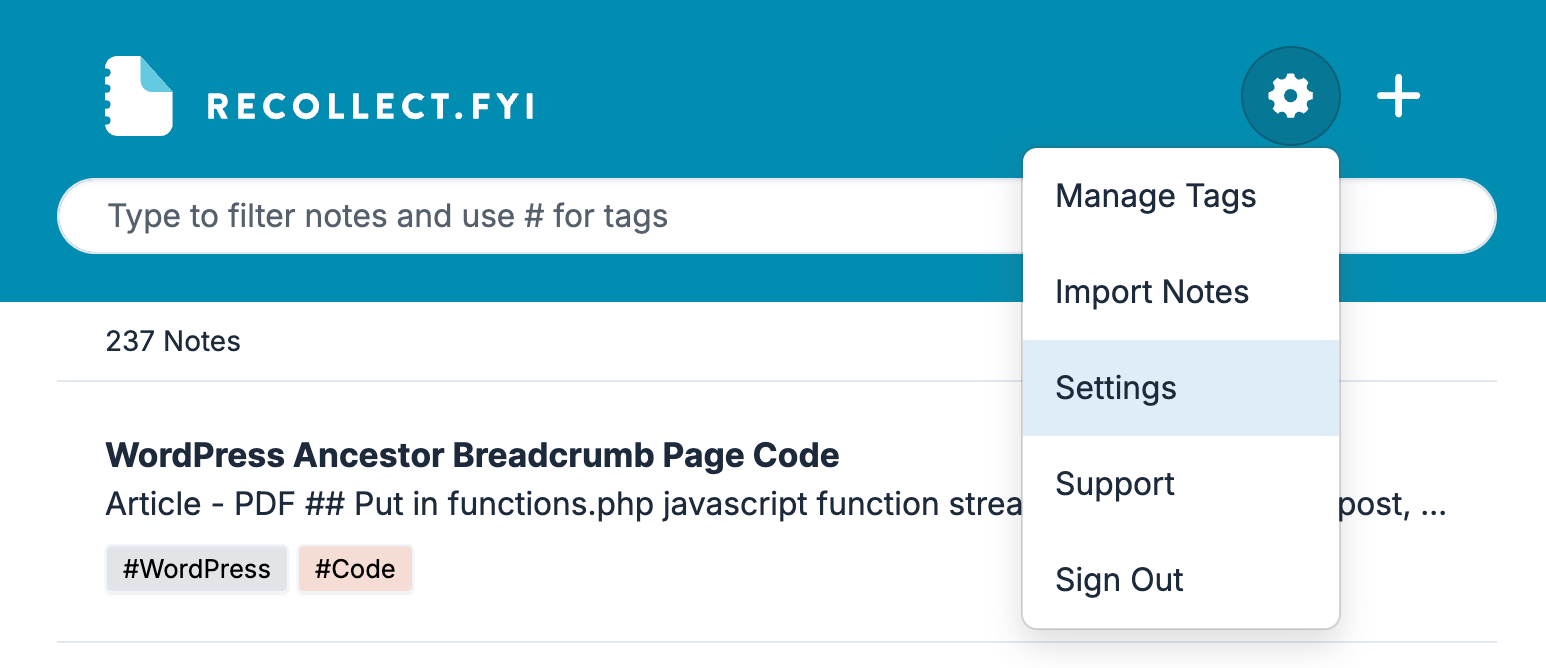
Screenshot of the Recollect app with the Gear icon menu open, showing Manage Tags, Import Notes, Settings highlighted, Support, and Sign Out.
Opening the Gear icon menu reveals the Settings option needed to reach your account controls.

In Settings, select Account, scroll down to the bottom, and then click the Delete Account button.
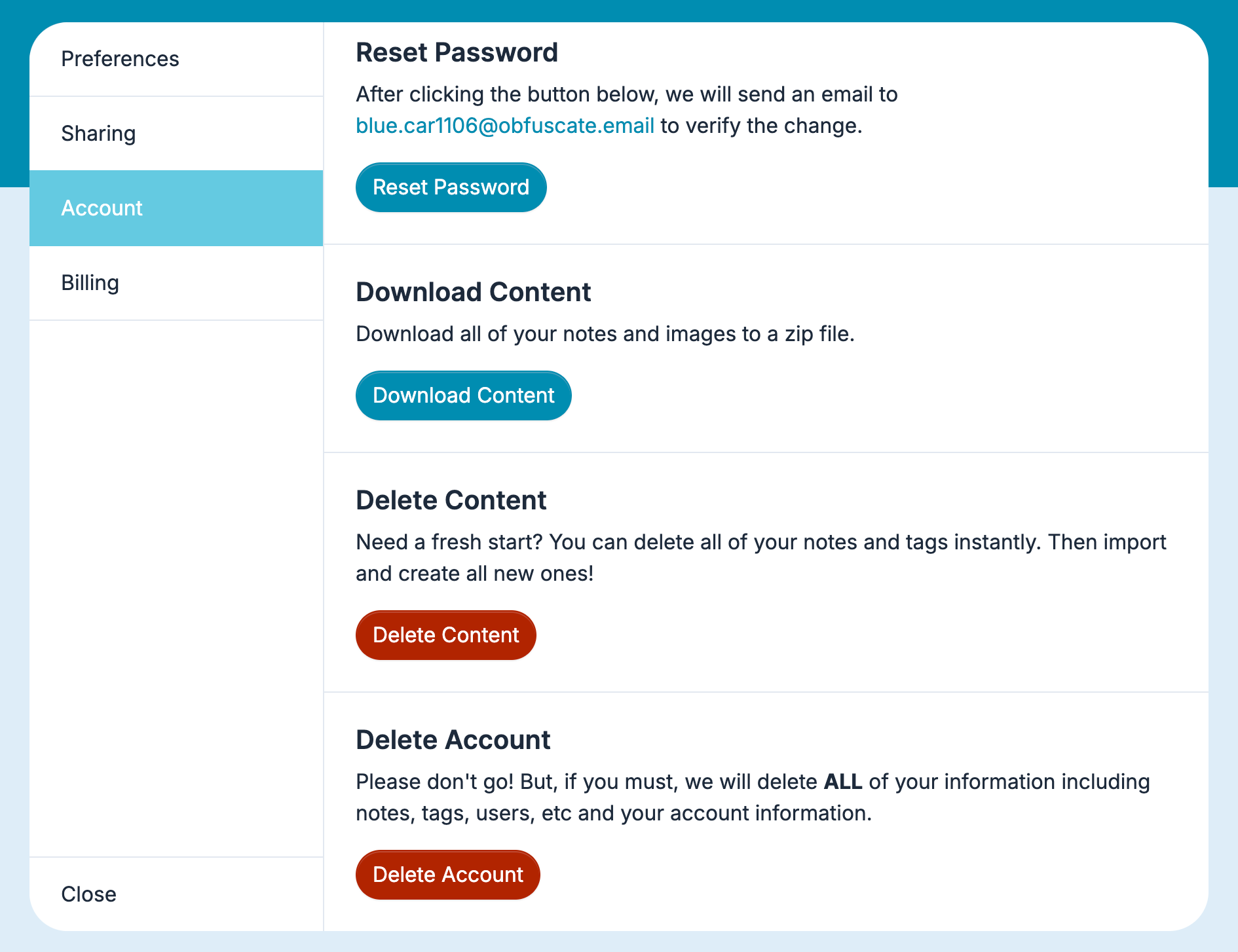
Screenshot of the Account settings tab showing Reset Password, Download Content, Delete Content, and a red Delete Account button at the bottom.
The Account tab in Recollect Settings, where the red Delete Account button sits at the bottom below the content management options.

Click the Confirm button to permanently delete your account and all its data.
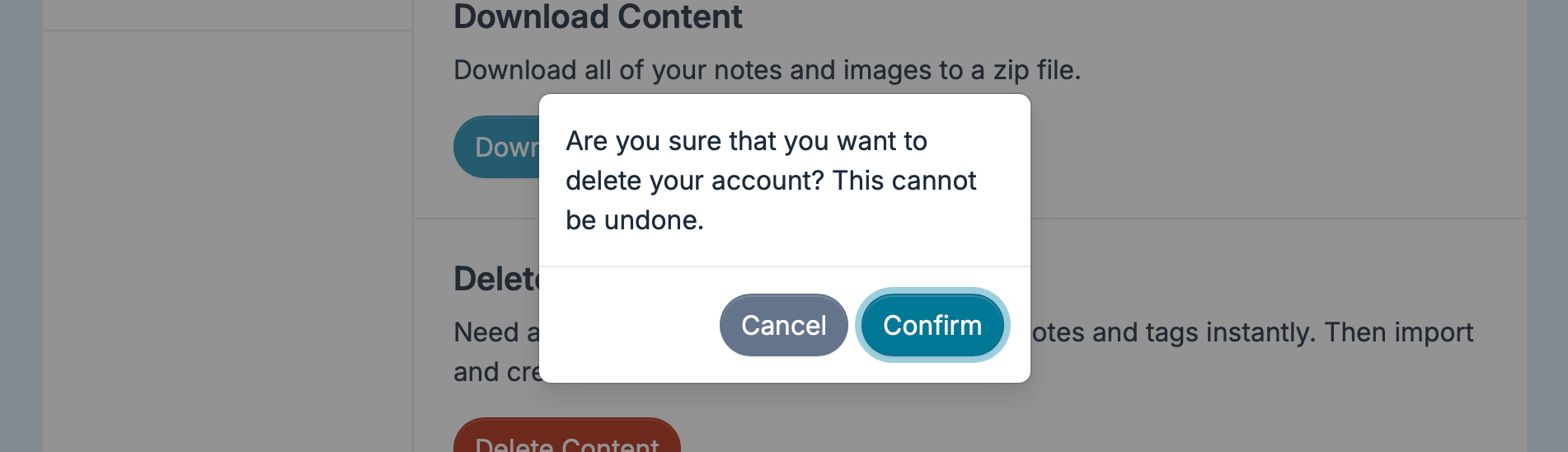
Confirmation dialog reading “Are you sure that you want to delete your account? This cannot be undone.” with Cancel and Confirm buttons.
The confirmation dialog where clicking Confirm permanently deletes the account and all its data.